


Table of Contents
- Is a Smart Lighting System Worth It for Apartments? The Honest Answer
- Smart Bulbs vs Smart Switches for Renters: Which One Makes Sense?
- How to Set Up Smart Home Lighting Without Drilling
- Best Renter-Friendly Smart Lighting Picks Under $50
- Lease Compliance and Security Deposit Protection
- Privacy and Data Security for Apartment Wi-Fi
- Budget-Friendly vs Premium Ecosystems: What You Actually Get
- Conclusion: When Smart Lighting Pays Off in an Apartment
- Frequently Asked Questions
Last Updated: October 3, 2026
Is a Smart Lighting System Worth It for Apartments? The Honest Answer
For most renters, a smart lighting system is worth it, but only if you buy into the right layer of it. Most advice comes from homeowners who can drill into drywall.
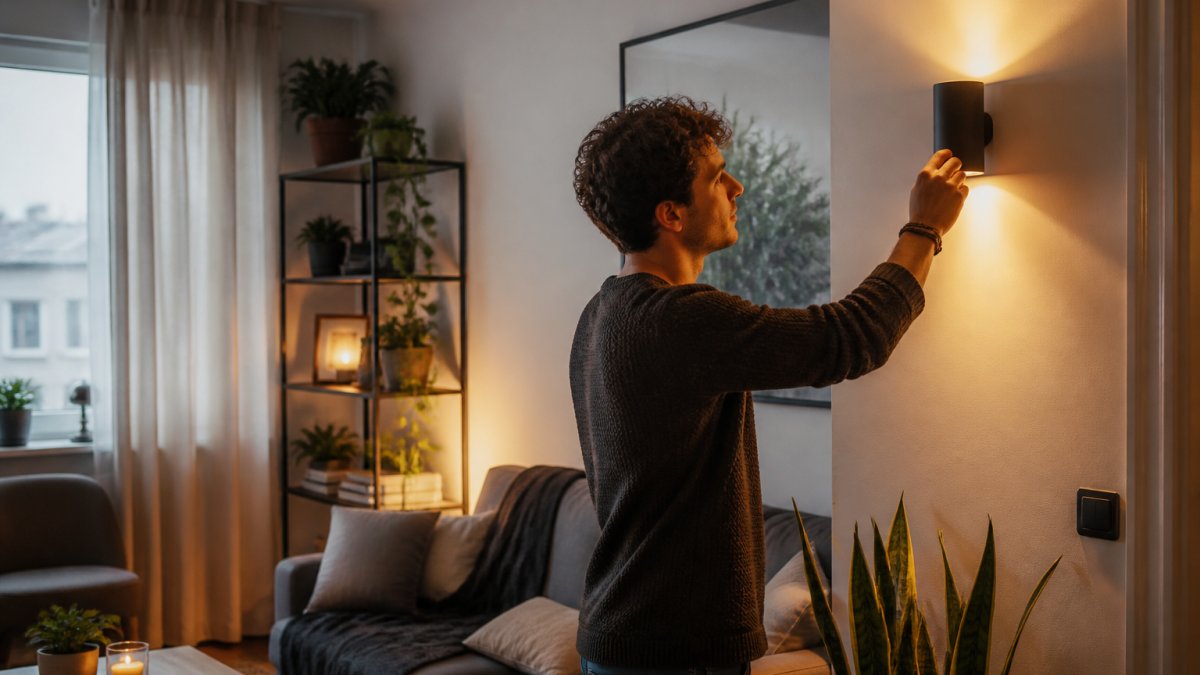
Here is the short version: smart bulbs are worth it, smart switches usually are not, and anything that requires a screwdriver and a wire nut is a gamble you do not need to take.
The reason comes down to portability. According to guidance from the U.S. Department of Housing and Urban Development on tenant rights and property modifications, lease terms govern what a tenant may change, and modifications made without permission can be deducted from a security deposit.
Smart Bulbs vs Smart Switches for Renters: Which One Makes Sense?
Smart bulbs win for renters in nearly every case: no wiring, no tools, no landlord permission. Smart switches win only for owners or renters with written approval to modify the electrical system.
Smart Bulbs: Plug-and-Play Control
A smart bulb is a standard LED bulb with wireless radios built in. Screw it into an existing socket, pair it with an app over Wi-Fi or Bluetooth, and control brightness, color temperature, and schedules from your phone.
The advantages for apartment living are hard to overstate:
- No installation risk. Nothing touches the wiring behind the wall.
- Full portability. Unscrew it, box it, take it to the next place.
- Instant scenes. Group bulbs into preset scenes for movie nights or morning routines.
The trade-off is real: if someone flips the wall switch off, the bulb loses power and stops responding. Mounting a smart bulb in a fixture controlled by a switch you use constantly means fighting your own wall.
Smart Switches: Permanent Wiring, Permanent Problems
A smart switch replaces the physical switch in your wall and controls any bulb on that circuit, which sounds better until you consider installation.
- You must cut power at the breaker and work inside a junction box.
- Some apartments lack the neutral wire the switch needs.
- Removing it at move-out means another electrical job, or a visible gap.
How to Set Up Smart Home Lighting Without Drilling
Setting up smart home lighting without drilling takes about 20 minutes and zero tools. The entire process lives at the socket, the outlet, or the adhesive strip.
Here is the sequence we recommend:
- Pick your layer. Smart bulbs for ceiling and lamp fixtures, smart plugs for anything with a physical on/off switch, like a floor lamp.
- Check your Wi-Fi band. Most budget smart devices run on 2.4 GHz, so connect to that network during setup if your router splits bands.
- Download the manufacturer's app and create the account before you install anything, so pairing goes quickly.
- Install one device at a time. Pair it, name it clearly ("living room corner lamp"), then move to the next.
- Group devices into rooms. Room grouping is what makes voice control and preset scenes work properly.
- Set schedules and timers. A lamp that turns on at dusk and off at midnight costs nothing to run and makes an empty apartment look occupied.
- Test the wall switches. Find which switches cut power to your smart devices, then leave those switches on permanently.
For fixtures with no socket at all, a battery-powered motion sensor light solves the problem entirely. Our wireless motion sensor light mounts with adhesive and needs no wiring, a natural fit for closets, hallways, and entryways. For color and atmosphere rather than task lighting, a rechargeable piece like our pixel style RGB lantern light gives you remote-controlled color without touching a fixture.


Best Renter-Friendly Smart Lighting Picks Under $50
The best renter-friendly smart lighting under $50 falls into four categories: smart bulbs, smart plugs, self-contained motion lights, and decorative LED pieces. Each is removable and solves a different problem. Match the category to the room rather than buying one of everything.
| Category | What It Does | Best For | Typical Setup | Watch Out For |
|---|---|---|---|---|
| Smart bulb | App and voice control of one fixture | Ceiling lights, table and floor lamps | Screw in, pair, done | Dies when the wall switch is flipped off |
| Smart plug | Adds control to any switched lamp | Floor lamps, string lights, holiday decor | Plug in, pair, done | Bulky plugs can block the second outlet |
| Motion sensor light | Hands-free light with no socket needed | Closets, hallways, entryways, under cabinets | Adhesive mount | Battery swaps every few months |
| Decorative LED piece | Ambient color and mood lighting | Bedrooms, desks, parties | Place and charge | Charging cable is one more thing to pack |
Match the Pick to the Room
Most renters overbuy. The right split usually looks like this:
- Studio or open-plan living. Two smart bulbs for the main ceiling fixture, one smart plug for a floor lamp, and one decorative piece for the desk or nightstand. That covers task, ambient, and mood lighting without four apps in one room.
- One-bedroom. Three to four smart bulbs across the bedroom and living room, two smart plugs for lamps, and one motion light for the entryway or closet.
- Two-bedroom or shared apartment. Add a second motion light for the hallway and a second decorative piece for the roommate's desk. Keep each person's devices on their own room group so voice commands do not cross rooms.
The Protocol Question Nobody Answers
Before you buy, decide whether you want Wi-Fi, Bluetooth, or a hub-based protocol like Zigbee or Thread. This is the biggest factor in whether your setup stays reliable.
- Wi-Fi bulbs connect straight to your router, no hub needed, but each bulb is a device on your network. Ten Wi-Fi bulbs on a budget router is a common cause of dropped connections.
- Bluetooth bulbs are the cheapest and simplest, but only work when your phone is nearby. Fine for a single bedside lamp, frustrating for a whole apartment.
- Zigbee and Thread devices need a hub or compatible smart speaker, but run on their own low-power network and stay responsive as you add devices. If you plan to grow past six or seven lights, this tier is worth the extra cost.
What $50 Actually Buys
A single smart bulb from a mainstream brand typically runs in the low double digits, a smart plug less than a bulb, and a battery motion light or rechargeable decorative piece sits at the top of the range.
For something with more personality, a 3D illusion night light works as both ambient lighting and decor, which matters in a small apartment where every object has to earn its square footage.

Lease Compliance and Security Deposit Protection
Lease compliance is the part of smart lighting that costs renters money. The rule is simple: if your change is reversible without a trace, you are safe. Run every purchase through this checklist:
- Does the device attach without drilling, cutting, or rewiring?
- Can you remove it in under five minutes at move-out?
- Does it leave adhesive residue, holes, or marks behind?
Adhesive-mounted lights are generally the safest option, but even those deserve a test. Apply a small piece of the mounting tape to an inconspicuous spot, leave it for a week, then remove it and check for paint damage.
Wireless Motion Sensor Light →
Document everything. Photograph the fixture before you install anything and after you remove it. Dated photos are the difference between a returned deposit and an argument.
Privacy and Data Security for Apartment Wi-Fi
Privacy is the second thing renters overlook, and apartment renters face a threat model homeowners do not. Every connected light is a small computer on your network, and in an apartment that network is often shared, managed by the building, or both.
Why Apartment Wi-Fi Is Different
The practical risks are modest but real. A cheap bulb from an unknown seller may phone home with usage data, and a poorly secured device can act as an entry point to your home network. In an apartment, three things shift:
- You may not control the router. If the building provides Wi-Fi, you cannot change the admin password, update firmware, or see which devices are connected. Your smart lights are guests on someone else's network.
- Neighbors share the airwaves. In a dense building, dozens of 2.4 GHz networks compete for the same channels, which is why Wi-Fi bulbs in apartments drop offline more often than in houses.
- The building's network may log traffic. A managed network can see which devices connect and when, and that metadata alone can reveal occupancy patterns.
What to Do If You Use the Building's Wi-Fi
If you must run your lights on the building network, take these steps:
- Put smart devices on a guest network if the building offers one. Guest networks usually isolate devices, so a compromised bulb cannot reach your laptop.
- Prefer Bluetooth or hub-based devices over Wi-Fi on a shared network. Bluetooth stays local to your phone, and a hub keeps devices on its own private network instead of the building's.
- Skip cloud-dependent features you do not need. If a bulb works over local control, use that mode. Fewer cloud calls means less data leaving your apartment.
What to Do If You Have Your Own Router
If you pay for your own internet, use that control:
- Create a separate SSID for smart devices. Most consumer routers let you run a second network. Put lights, plugs, and sensors there, and keep phones and laptops on the main one.
- Turn on WPA3 or WPA2 encryption and disable WPS, a common weak point.
- Keep firmware updated. Most apps push updates automatically; let them, and check the router firmware every few months.
The [Federal Trade Commission's guidance on securing your wireless network and connected devices | ftc.gov] is worth ten minutes of your time before you fill an apartment with connected gadgets.
Budget-Friendly vs Premium Ecosystems: What You Actually Get
Budget ecosystems give you the essentials, and premium ecosystems give you reliability and integration. For a rental, the budget tier usually wins on value.
What you pay more for at the premium end:
- Hub-based systems that run on their own wireless protocol instead of crowding your Wi-Fi
- Better app integration across brands, so your lights, plugs, and sensors work in one place
- Wider compatibility with existing smart home technology you may already own
What the budget end gets right:
- Cost-effective entry. You can light a one-bedroom apartment for the price of a dinner out.
- No hub required. Wi-Fi and Bluetooth devices pair straight to your phone.
- Easy replacement. If one fails, you are out a few dollars, not a whole system.
The honest recommendation: start budget, and only move up when you hit a specific limitation. If devices drop off the network constantly, or you want multiroom audio and lighting as one scene, a hub-based system earns its price.
Conclusion: When Smart Lighting Pays Off in an Apartment
A smart lighting system pays off in an apartment when it stays removable, solves a real annoyance, and costs less than the deposit you are protecting.
The challenge is finding gear that is genuinely renter-friendly rather than marketed that way. Eve's Curious Collection hand-picks exactly that kind of product: no-drill motion sensor lights, rechargeable ambient pieces, and small electronics that move with you.
Shop now and build a lighting setup you can pack in a box.
Frequently Asked Questions
Can you install smart lights in a rental apartment?
Yes, and you do not need landlord permission for most setups. Smart bulbs screw into existing sockets, and battery-powered options like motion sensor lights mount with adhesive strips. Avoid hardwired smart switches, which require electrical work and typically violate lease terms. Stick with plug-in or battery-powered smart lighting and you can remove everything on move-out day without patching a single hole.
Do smart light bulbs actually save money on electricity bills?
The savings come from LED efficiency, not from the smart features themselves. LED bulbs use roughly 75% less energy than incandescent bulbs and last far longer. Scheduling and motion activation add a small amount of savings by turning lights off when rooms are empty. A single bulb will not transform your utility bill, but replacing every fixture in a one-bedroom apartment adds up over a year.
Are smart lighting systems easy to remove when moving out?
Bulb-based systems take about five minutes to remove. Unscrew the bulbs, pack them, and reinstall the original bulbs. Adhesive-mounted lights peel off, and rechargeable options like the Pixel Style RGB Lantern Light at $17.58 simply go in a box. The only setup that creates move-out headaches is a hardwired switch, which is why most renters avoid it entirely.
Do I need a hub for smart lighting in my apartment?
Not always. Many smart bulbs and lights connect directly to your Wi-Fi and are controlled through a mobile app, so no hub is required. A hub becomes useful when you want devices from different brands to work together, or when you want schedules to run without depending on your Wi-Fi network. Start with Wi-Fi bulbs, and add a hub later only if you hit a real limitation.


