


Table of Contents
- How We Picked These Home Office Gadgets
- Quick Comparison: Top Trending Tech Gadgets for Home Office
- Affordable Desk Gadgets Under $50 Worth Buying Now
- Smart Lighting for Home Office: See More, Strain Less
- Ergonomic Desk Accessories That Actually Make a Difference
- Big-Screen Productivity: Portable Projectors for the Home Office
- Small-Space and Hybrid Work Upgrades Worth Considering
- Which Home Office Gadget Should You Buy First?
Last Updated: August 21, 2026
Remote work has fundamentally changed what a productive desk setup looks like. At Eve's Curious Collection, we've hand-picked gadgets that solve real problems: cable chaos, eye strain, dead phone batteries, and thermal discomfort. This guide covers the best finds across every budget, from sub-$10 essentials to projector upgrades that transform how you work.
How We Picked These Home Office Gadgets
Every product was selected against a simple but demanding set of criteria: genuine utility, desk space efficiency, broad compatibility, strong price-to-impact ratio, health and wellness benefits, and sustainability signals. Portability and adaptability were non-negotiable, since many remote workers shift between locations.
Quick Comparison: Top Trending Tech Gadgets for Home Office
| Gadget | Price | Best For | Key Feature |
|---|---|---|---|
| 3-in-1 Foldable Wireless Charger Stand | $15.06 | Cable management, multi-device | Dual coil, Qi-certified, foldable |
| 3 IN 1 Foldable Wireless Charger (Magnetic) | $27.30 | Apple ecosystem users | MagSafe-compatible, charges Watch + AirPods |
| 60W Wireless Charger Pad | $6.39 | Budget desk upgrade | Multi-speed fast charge, FCC certified |
| IR Smart Remote Adapter | $10.71 | Smart home control | Turns phone into universal remote |
| Portable 3-in-1 Air Cooler Fan | $4.14 | Small-space cooling | Fan + humidifier + LED light |
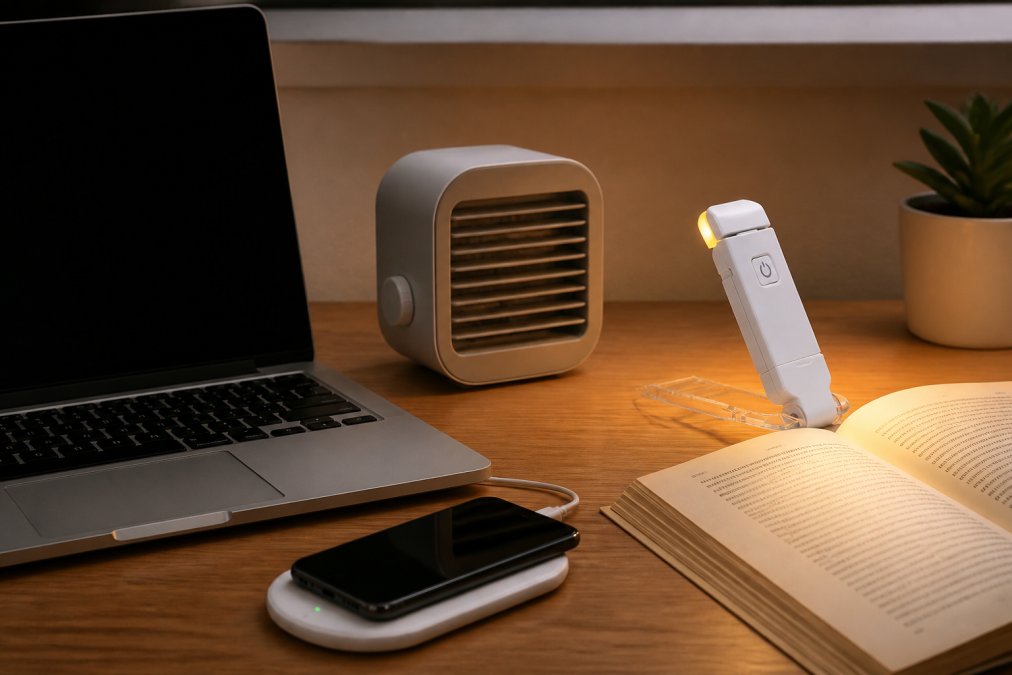
| LED USB Rechargeable Book Light | $10.17 | Ambient lighting, eye protection | 1800K amber glow, 99.95% blue light block |
| Vision Pro HY300 Portable Projector | $72.00 | Big-screen productivity | 4K Ultra HD LCD, compact |
| HY300 Pro Projector Home Theater | $126.72 | Home theater + presentations | HD display, HDMI/USB/wireless, built-in speaker |
Affordable Desk Gadgets Under $50 Worth Buying Now
The best ergonomic desk accessories don't require a big investment. Tangled cables, dead devices, and cluttered surfaces cost more in lost focus than any productivity software. Start with the basics.
3-in-1 Foldable Wireless Charger Station ($15.06-$27.30)
The 3-in-1 LED Fast Wireless Charger Stand at $15.06 consolidates phone, earbuds, and watch onto a single Qi-certified pad. The dual coil design eliminates hunting for the sweet spot, and ventilation holes prevent overheating.

For Apple users, the 3 IN 1 Foldable Wireless Charger at $27.30 offers MagSafe alignment for iPhone 13-16, Apple Watch, and AirPods. The foldable form factor packs flat for travel.
Pros: Eliminates cable clutter, Qi-certified, foldable for portability Cons: Requires USB-C power source; magnetic version only aligns with compatible iPhones
60W Wireless Charger Pad ($6.39)
The 60W Wireless Charger Pad supports iPhone 14, 13, 12, 11 Pro Max, and many Samsung devices across multiple fast-charge speeds. FCC, CE, and RoHS certifications ensure reliable power delivery. Available in black, red, gold, and silver.
IR Smart Remote Adapter ($10.71)
The Type-C Micro USB Smart IR Remote Control Adapter turns your smartphone into a universal remote for TV, air conditioner, and other IR-controlled devices. For a home office managing multiple devices, consolidating remotes reduces digital clutter and fragmented attention.

Portable 3-in-1 Air Cooler Fan ($4.14)
Thermal comfort is often overlooked but critical for sustained focus. The Portable 3-in-1 Air Cooler Fan combines a fan, humidifier with five spray modes, and 17-color LED light in a USB-powered unit. Three wind speeds, adjustable tilt, and auto-timer make it ideal for small spaces without central air. Add ice cubes to the water tank for faster cooling.
Smart Lighting for Home Office: See More, Strain Less
The wrong light source accelerates eye fatigue and disrupts sleep quality. According to the American Optometric Association's guidance on computer vision syndrome, extended screen exposure combined with poor ambient lighting is a leading cause of digital eye strain among remote workers.
LED USB Rechargeable Book Light ($10.17)
The LED USB Rechargeable Book Light at $10.17 blocks 99.95% of blue light with its 1800K amber color temperature. Nine adjustable modes let you dial in exact output for your workspace. The clip-on design attaches to a monitor bezel or shelf, and the 315-degree flexible arm positions the beam without creating screen glare. At 1.37 ounces, it folds flat for travel. The 200mAh battery runs 3-6 hours per charge.

A dedicated low-blue-light source positioned below your monitor line reduces contrast differential that causes squinting during late sessions.
Pros: 1800K amber glow, 99.95% blue light reduction, flexible arm, USB rechargeable, clip-on versatility Cons: Modest battery capacity, not suitable as primary room light
Ergonomic Desk Accessories That Actually Make a Difference
According to OSHA guidance on computer workstation ergonomics, sustained awkward postures drive musculoskeletal disorders in desk workers. Ergonomics extends beyond the chair:
- Wireless chargers remove cable tension that forces awkward reaches
- Clip-on lighting eliminates repeated desk lamp repositioning
- IR remote adapter reduces standing to adjust room equipment
- Air cooler fan addresses thermal discomfort linked to reduced concentration
Ergonomic desk accessories work best as a system. A well-positioned monitor combined with wireless peripherals and proper lighting removes micro-stressors that compound into fatigue over an eight-hour workday. Modular, adjustable setups outperform fixed configurations because they adapt to the user.
Big-Screen Productivity: Portable Projectors for the Home Office
A portable projector creates a high-resolution secondary display without occupying permanent desk space. For hybrid workers, it's more practical than a large external monitor.
Vision Pro HY300 Portable Projector ($72.00)
The Vision Pro HY300 Portable Projector delivers 4K Ultra HD LCD visuals in a compact, portable form factor. Sharp images and vibrant color make it viable for presentations, spreadsheet review, or entertainment. The portability is the real differentiator, it goes where you go.
Best for: Hybrid workers who need big-screen capability without permanent installation.
HY300 Pro Projector Home Theater ($126.72)
The HY300 Pro Projector Home Theater offers HD display quality with HDMI, USB, and wireless connectivity. The built-in speaker handles audio independently, and adjustable focus accommodates different throw distances. Quiet fan operation keeps it from distracting during video conferencing.
| Feature | Vision Pro HY300 ($72) | HY300 Pro ($126.72) |
|---|---|---|
| Display Quality | 4K Ultra HD LCD | HD with enhanced clarity |
| Connectivity | Portable/compact | HDMI, USB, wireless |
| Built-in Speaker | Not specified | Yes |
| Best Use | Travel, hybrid work | Home theater, presentations |
Choose the HY300 Pro for client presentations or dual work-entertainment use. The Vision Pro HY300 wins on portability and price for travel-ready display upgrades.
Small-Space and Hybrid Work Upgrades Worth Considering
Most remote workers work from a corner of a living room, studio apartment, or shared space that functions as both office and home. The gadgets here were selected with that reality in mind.
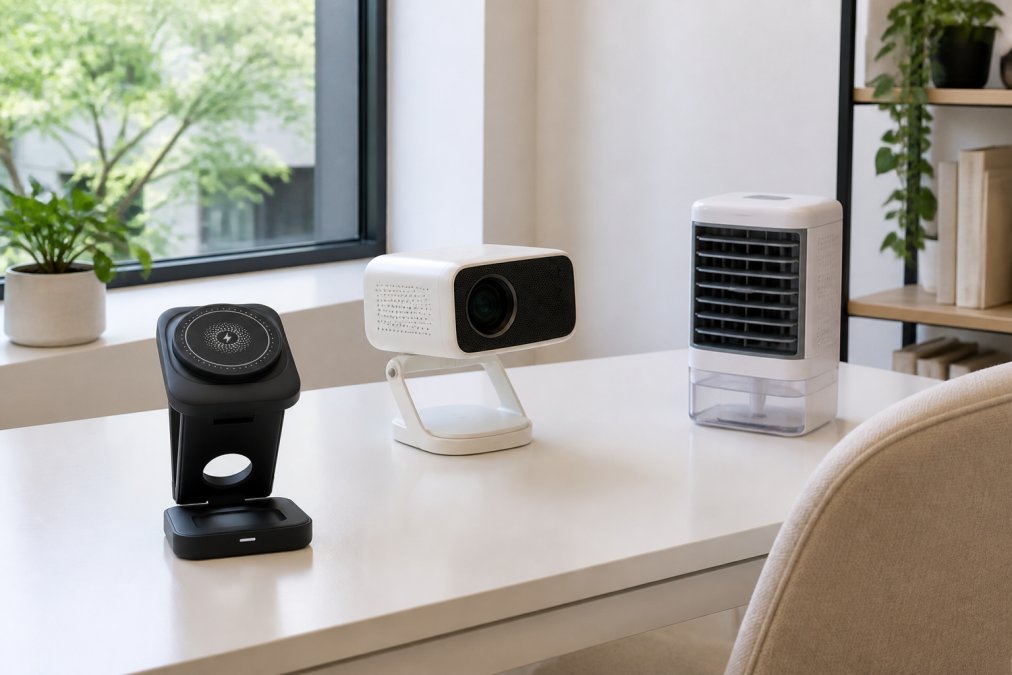
Foldable wireless chargers are the most direct small-space win. They fold flat when not in use and eliminate cable sprawl that makes a small desk feel chaotic.
The portable projector solves the secondary monitor problem without adding a permanent fixture.
The mini air cooler fan is purpose-built for spaces without dedicated climate control.
For hybrid workers, the IR smart remote adapter consolidates device control onto your smartphone, eliminating one fewer peripheral to pack.
According to Stanford's research on remote work productivity, home workers report higher satisfaction when their workspace feels controlled and organized. USB-powered devices that draw from existing power banks reduce the number of wall adapters in use, a meaningful reduction in standby energy draw.
Which Home Office Gadget Should You Buy First?
The right starting point depends on which problem costs you the most focus.
| Problem | Start With | Price |
|---|---|---|
| Cable chaos and dead devices | 60W Wireless Charger Pad | $6.39 |
| Eye strain during late sessions | LED USB Book Light | $10.17 |
| Overheating or stuffy workspace | Portable 3-in-1 Air Cooler Fan | $4.14 |
| Too many remotes cluttering the desk | IR Smart Remote Adapter | $10.71 |
| Multi-device charging (Apple ecosystem) | 3-in-1 Foldable Wireless Charger | $15.06-$27.30 |
| Need a second screen without a monitor | Vision Pro HY300 Projector | $72.00 |
| Home theater + presentation capability | HY300 Pro Projector | $126.72 |
The highest-impact upgrades are rarely the most expensive. The $4.14 air cooler and $10.17 book light will change how you feel at 3pm more than a $300 keyboard. For most people starting from scratch, fix thermal comfort first (air cooler), then lighting (book light), then cable management (wireless charger pad). Those three cost under $25 and address the three most common causes of afternoon productivity collapse.
According to Consumer Technology Association's home office trends report, demand for compact, multi-function home office peripherals has grown as hybrid work becomes the default. The gadgets that win are the ones that do more with less space.
The challenge with building a functional home office is knowing what's actually worth buying. Eve's Curious Collection curates trending tech gadgets for home office setups so you don't have to sort through hundreds of options. From the $6.39 wireless charger pad that solves cable clutter to the HY300 Pro Projector that turns any wall into a presentation screen, every product ships fast and arrives ready to use. Shop Now and find the upgrade your desk has been waiting for.
Frequently Asked Questions
What are the must-have home office gadgets for 2026?
The gadgets making the biggest difference in 2026 home office setups are wireless charging stations, smart ambient lighting, portable projectors, and compact air coolers. These address the most common pain points: cable clutter, eye strain during video calls, limited display space, and staying comfortable during long work sessions. Affordable options under $30 cover most of these bases without requiring a full desk overhaul.
How can tech gadgets increase productivity in a home office?
The right home office gadgets reduce friction in your daily workflow. A 3-in-1 wireless charger keeps all your devices topped up without hunting for cables. An adjustable book light with blue-light filtering cuts eye strain during late sessions. A portable projector turns any wall into a second display for presentations or focused work. Each gadget targets a specific bottleneck, so productivity gains come from eliminating small daily annoyances that add up.
What are the best affordable desk gadgets under $50?
Several strong options exist well under $50. A foldable 3-in-1 wireless charging station runs around $15-$27 and charges your phone, watch, and earbuds simultaneously. A clip-on LED reading light with blue-light protection costs about $10 and dramatically improves ambient lighting for video calls and late-night work. A mini IR remote adapter at $10.71 turns your phone into a universal remote, cutting down on desk clutter from multiple devices.
What are the top trends in new home office technology?
Three trends define home office tech right now: wireless and cable-free setups, compact multi-function devices, and health-conscious design. Wireless chargers that handle multiple devices at once are replacing power strips. Mini projectors are replacing second monitors in small apartments. And ergonomic desk accessories combined with smart lighting are addressing the wellness gap that basic gear lists have ignored for years.
Are these trending home office gadgets suitable for small apartments?
Most of the trending home office gadgets highlighted here are specifically well-suited to small spaces. Foldable wireless chargers collapse flat when not in use. Clip-on book lights attach directly to your laptop or monitor. Portable projectors replace bulky secondary monitors and store in a bag. The Portable 3-in-1 Air Cooler Fan at $4.14 replaces a full-size desk fan. Small-space optimization is actually one of the strongest reasons these compact gadgets have grown in popularity.
This article was written using GrandRanker


